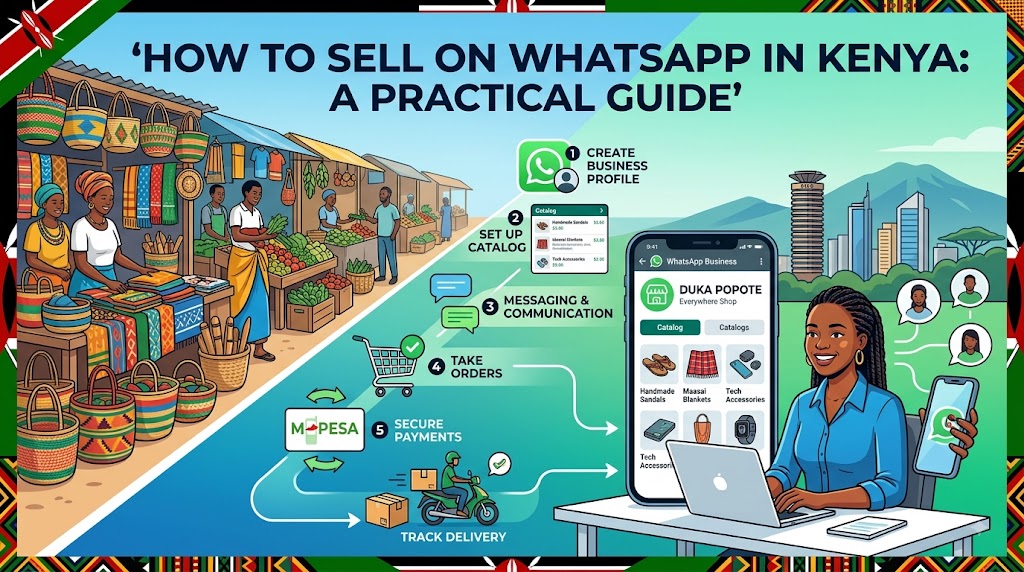
WhatsApp is the most popular app in Kenya, which makes it a natural home for buying and selling. Whether you sell fashion items from Dubois Road, fresh produce from Kinangop, or handmade jewelry from your home in Eldoret, your customers are already chatting on the app every day. However, managing dozens of customer messages, replying with individual product photos, and manually confirming M-Pesa payments can quickly become overwhelming.
Learning how to sell on WhatsApp effectively means building a system that saves you time while giving your customers a seamless buying experience. In this guide, we will walk you through setting up your business, presenting your items clearly, securing payments, and closing sales faster.
Why WhatsApp Selling Works So Well in Kenya
Unlike traditional websites that feel distant, WhatsApp selling relies on direct interaction and trust. In Kenya, buyers love to ask quick questions like "Is this size 38 available?" or "Can you send a video of the fabric?" before sending money.
Here is why selling products on WhatsApp works so well:
- High trust factor: Customers know they are speaking directly to the business owner.
- Instant payment integration: M-Pesa and WhatsApp live on the same smartphone, making payments quick and easy.
- Low friction: Buyers do not need to fill out long checkout forms or create new accounts on a website.
- High open rates: WhatsApp Status updates and messages get viewed much faster than traditional email marketing.
Step 1: Set Up Your WhatsApp Business Profile
If you are still using a personal account for business, it is time to switch to WhatsApp Business. The app is free and gives you features tailored specifically for commercial use.
To build immediate credibility, configure these settings:
- Profile Picture: Use a high-resolution logo or a clean, well-lit photo of your storefront or featured product.
- Business Description: Write a clear two-sentence summary of what you sell and your location (e.g., "Quality thrift shoes and sneakers based in CBD, Nairobi. We deliver nationwide via Wells Fargo and local bodas.").
- Operating Hours: Set exact opening and closing times so customers know when to expect a response.
- Automated Messages: Turn on an Away Message for after-hours and a Greeting Message for first-time contacts.
Step 2: Organize Your Catalog to Avoid Chat Clutter
One common mistake Kenyan sellers make is sending 15 individual photos whenever a customer asks, "What do you have in stock?" This clutters the chat, consumes your customer's mobile data, and creates confusion.
Instead of spamming chats, organize your inventory into a single shareable format:
- Group products by category (e.g., "Dresses under KES 2,000" or "Men's Jackets").
- Keep captions short with clear prices, available sizes, and color options.
- Use storefront links. For instance, platforms like Shoplink allow you to turn your photos and social media captions into an online shop with a WhatsApp checkout. When a customer taps your link, they pick their items and send a pre-formatted order directly to your WhatsApp chat without filling out complicated forms.
Step 3: Streamline M-Pesa Payments
Unclear payment instructions lead to abandoned orders. Always make it as simple as possible for the customer to send money immediately after deciding to buy.
Follow these tips for smooth M-Pesa transactions:
- Display your Till or Paybill clearly: If you use an Buy Goods Till Number, specify the Till number and business name in bold text.
- Specify who pays for transport: Always state whether the price includes delivery fees or if boda fees will be paid on delivery.
- Confirm payment quickly: As soon as you receive the M-Pesa message, verify the transaction code and reply to the customer with a confirmation message.
Step 4: Set Up Reliable Delivery Partners
Your sales process is not complete until the customer receives their item safely. Having a reliable delivery system builds repeat business.
- Within your town: Build direct relationships with two or three reliable boda boda riders. Agree on flat rates for major neighborhoods (e.g., KES 200–300 within Nairobi central areas).
- Upcountry orders: Partner with recognized courier services like Easy Coach, Fargo Courier, or North Rift Shuttle for towns outside your main area. Share the parcel tracking receipt photo with your customer immediately after booking.
Practical Example: How Mercy Scaled Her Clothing Business
Mercy runs a boutique in Nakuru town. Previously, she posted 20 pictures every morning on her WhatsApp Status. Whenever someone messaged her, she spent 10 minutes typing out prices, measuring sizes, and sending separate M-Pesa details. She lost up to 40% of prospective buyers who got tired of waiting for replies.
Mercy changed her strategy by taking these steps:
- She created a clean store link using Shoplink, uploading her weekly arrivals with clear KES prices and size tags.
- She added her store link directly to her WhatsApp Status updates and bio.
- When customers viewed her status, they clicked the link, browsed all available sizes, and clicked "Order on WhatsApp."
- Mercy received a neat text message in her chat showing exact items requested, the total price in KES, and the customer's delivery address.
By cutting out back-and-forth messaging, Mercy went from processing 5 orders a day to handling over 20 daily orders without hiring extra staff.
5 Essential Rules for WhatsApp Selling
To keep your customer relationships healthy and avoid getting your account reported, follow these basic etiquette rules:
- Never add customers to group chats without permission: Group chats expose private phone numbers and annoy customers. Use WhatsApp Status or direct messages instead.
- Use Quick Replies for common questions: Save quick templates for frequent queries like bank details, shop directions, or size charts.
- Keep Status updates curated: Post 5 to 10 quality photos a day rather than 50 low-quality images at once.
- Verify payments before dispatch: Always confirm M-Pesa messages in your official MPESA business app or SIM menu before handing goods to a rider.
- Ask for reviews: Once a parcel arrives, send a courteous message asking if the client is satisfied and invite them to tag your business on social media.
Conclusion
Mastering how to sell on WhatsApp Kenya comes down to reducing friction for your customers. By organizing your products clearly, making M-Pesa payments straightforward, and using simple digital store links, you can turn casual chatter into consistent income for your business.
Frequently asked questions
- Is WhatsApp Business free to use for selling in Kenya?
- Yes, the WhatsApp Business app is completely free to download and use on Android and iPhone. It includes basic tools like product catalogs, away messages, and automated greetings.
- How do I collect M-Pesa payments through WhatsApp?
- You can share your M-Pesa Buy Goods Till Number, Paybill details, or phone number directly in the chat when closing a sale. You can also send a pre-formatted message or store link that calculates the exact order total for the customer.
- What is the best way to handle upcountry deliveries for WhatsApp sales?
- For orders outside your town, use established regional couriers or shuttle services such as Wells Fargo, Easy Coach, or G4S. Always send the customer a clear photo of the parcel receipt and tracking number as soon as you dispatch.