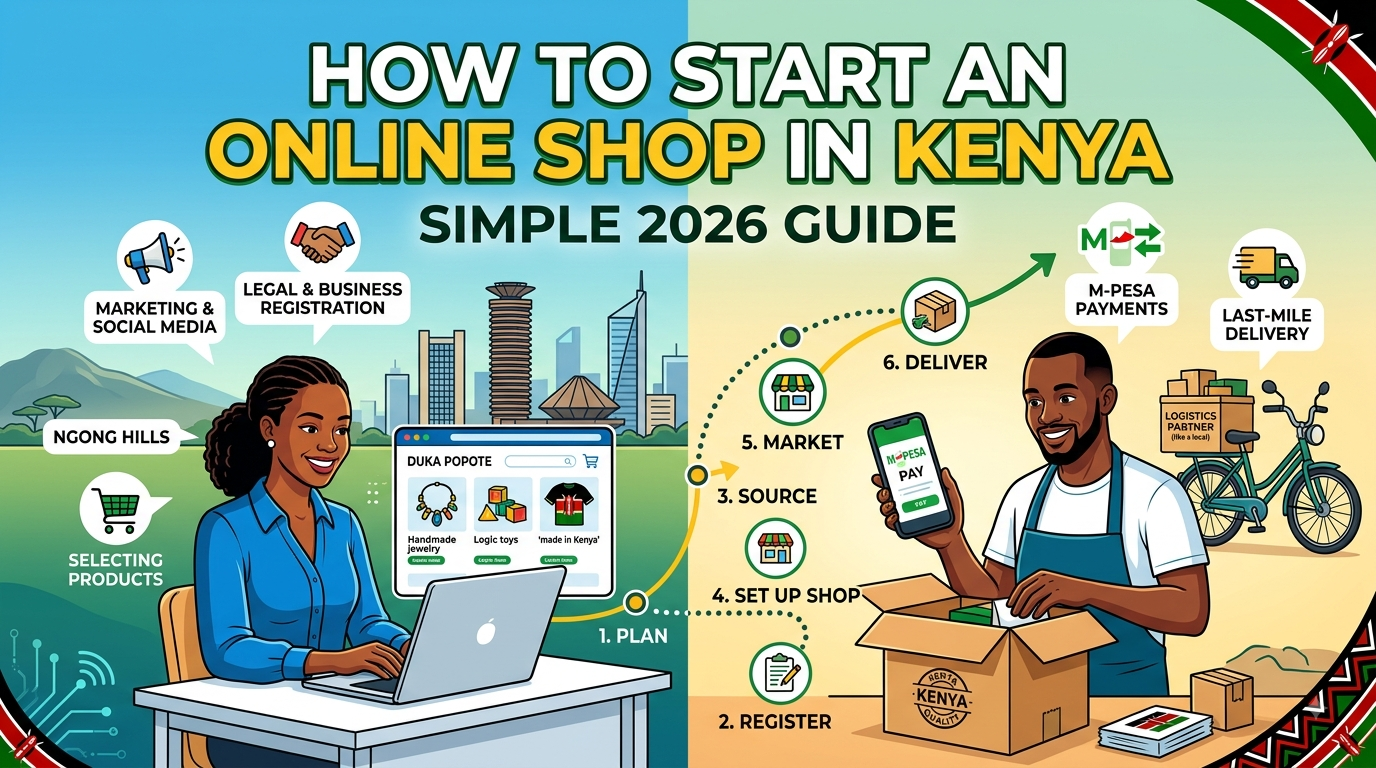
Running a business through WhatsApp status updates and Instagram DMs is a great way to start selling, but managing customer orders in chat logs can quickly become chaotic. Setting up a dedicated online shop in Kenya gives your boutique, electronics store, or beauty brand a clean, professional storefront where customers can view products anytime. In this guide, we will walk through practical steps to create an online shop in Kenya that seamlessly connects with M-Pesa and local delivery options.
Why Social Selling Alone Reaches a Limit in Kenya
Many Kenyan entrepreneurs begin their journey on platforms like Instagram, TikTok, or WhatsApp. While these channels bring high engagement, they also create specific operational bottlenecks once your daily order volume starts to grow.
- Repeated Inquiries: You spend hours answering messages asking, "How much is this?" or "Is size 38 still available?"
- Lost Order Details: Customer receipts, delivery addresses, and product preferences get buried under hundreds of incoming chat messages.
- Trust Deficit: Buyers often feel hesitated to send money via M-Pesa to an unverified phone number without a structured catalog to review.
Transitioning to a structured online store in Kenya helps solve these challenges. It allows you to display fixed prices in KES, present accurate stock details, and streamline how buyers complete their orders.
Core Features of a Successful Kenyan Online Store
Before picking software or taking pictures of your inventory, it is essential to understand what Kenyan buyers expect when shopping online. The local e-commerce Kenya market has distinct patterns compared to Western markets.
1. Mobile-First Experience
Over 80% of online browsing in Kenya happens on smartphones. If your online store in Kenya takes too long to load on a 3G or 4G mobile network, buyers will close the tab immediately. Keep your design clean, light, and easy to navigate on small mobile screens.
2. Seamless M-Pesa Integration
Cashless transactions are the default for local shoppers. Whether you use an M-Pesa Till Number, a Paybill, or direct mobile transfers, your payment process must clearly display account details and exact figures in Kenyan Shillings (KES).
3. Clear Delivery Expectations
Buyers in Nairobi might expect same-day rider delivery, while customers in Nakuru, Eldoret, or Kisumu want reliable parcel services via shuttle or courier. Your digital storefront should explicitly state your delivery rates and timelines before the order is finalized.
Step-by-Step: How to Create Your Online Shop in Kenya
Building an online shop does not require hiring a costly web developer or spending months writing code. Follow this step-by-step process to get your digital store operational quickly.
Step 1: Prepare Your Product Inventory and Photos
Clear visuals build trust. Take well-lit photos of your products using natural sunlight. Ensure you record:
- Clear product titles
- Short, accurate descriptions (materials, dimensions, or usage)
- Exact pricing in KES
- Current stock counts
Step 2: Choose a Simple Storefront Platform
Select a platform that matches your budget and operational style. While complex platforms like Shopify or WooCommerce exist, they often require monthly subscription fees in USD and complex payment gateway setups. Alternatively, platforms like Shoplink allow Kenyan sellers to turn product photos and captions into a live online shop with WhatsApp checkout in just a few minutes, making it an ideal choice if you want to avoid complicated web setup.
Step 3: Configure Local Payment and Checkout Rules
Decide how you want to collect funds. The simplest setup for local buyers is displaying your M-Pesa Till or Paybill number right at the checkout summary. This gives buyers confidence while keeping transaction fees predictable.
Step 4: Map Out Your Logistics Channels
Establish working relationships with local logistics providers:
- Intra-city (e.g., within Nairobi or Kiambu): Partner with dedicated boda boda riders or local delivery apps.
- Upcountry (e.g., Mombasa, Nyeri, Machakos): Partner with established courier services or regional matatu parcel offices (such as Easy Coach, Wells Fargo, or North Rift).
Step 5: Embed Your Store Link Across Social Media
Once your digital catalog is live, place your store link directly in your Instagram bio, TikTok profile, and WhatsApp Business auto-replies. Instead of directing buyers to "DM for price," direct them straight to your storefront link.
Practical Example: How Sarah Streamlined Her Clothing Business
Sarah runs a second-hand clothing store sourcing inventory from Dubois Road and Eastleigh, selling primarily to customers in Nairobi and Thika. Originally, she posted 20 items a day on her WhatsApp status. Interested buyers would message her back and forth to confirm sizes, check availability, and send payment screenshots.
When Sarah started using a simple free online shop framework, her workflow transformed:
- She uploaded her daily inventory with clear photos, tags (e.g., "Size Medium - KES 1,200"), and exact quantities.
- She added her new storefront link to her Instagram bio and automated WhatsApp welcome message.
- Customers browsed her full inventory, selected items, and sent organized order summaries directly to her WhatsApp line alongside M-Pesa payment confirmations.
- The Result: Sarah cut her customer service response time by half, eliminated overselling out-of-stock items, and increased her daily sales volume because buyers could browse her full stock late at night without waiting for a DM response.
Common Mistakes to Avoid When Online Selling in Kenya
To ensure your new digital venture succeeds, watch out for these frequent errors made by local social sellers:
- Hiding Prices ("DM for Price"): Local shoppers prefer transparency. Concealing prices creates unnecessary friction and drives potential buyers to competitors.
- Ignoring Mobile Data Costs: Uploading uncompressed 10MB images will slow down your site, eating into your customer's data bundle and causing them to abandon the page.
- Neglecting Order Confirmation: Always provide immediate acknowledgment once an M-Pesa payment is received, along with a tracking update or estimated delivery time.
Final Thoughts
Setting up an online shop in Kenya no longer requires deep technical knowledge or massive startup capital. By organizing your inventory, offering direct M-Pesa payments, and providing clear delivery terms, you can build a reliable digital storefront that operates smoothly 24/7. Focus on keeping the buying experience fast, simple, and mobile-friendly, and you will see your order fulfillment speed and overall customer loyalty improve significantly.
Frequently asked questions
- Do I need a custom website developer to start an online shop in Kenya?
- No, you do not need to hire a developer. Modern lightweight platforms allow you to create an online shop using simple templates or direct mobile tools that transform your photos and captions into a web catalog without writing any code.
- How do I accept payments on my online store in Kenya?
- The most effective method is using M-Pesa. You can display an M-Pesa Till Number, Paybill, or mobile number directly on your store's checkout page so customers can transfer payment in KES easily.
- How do I handle upcountry delivery for my online shop?
- For orders outside your immediate town, you can partner with regional matatu parcel services or national couriers like Wells Fargo and G4S. State your upcountry shipping fees clearly on your storefront so buyers know the total cost before placing an order.